Team chat for accounting firms, with a room for every client
Client Rooms is team chat built into Nagaris, with a room for every client, a channel for every team and direct messages. Every conversation is filed on the client, and you can tag @Ask Nagaris in any room to get an answer from the whole client file.
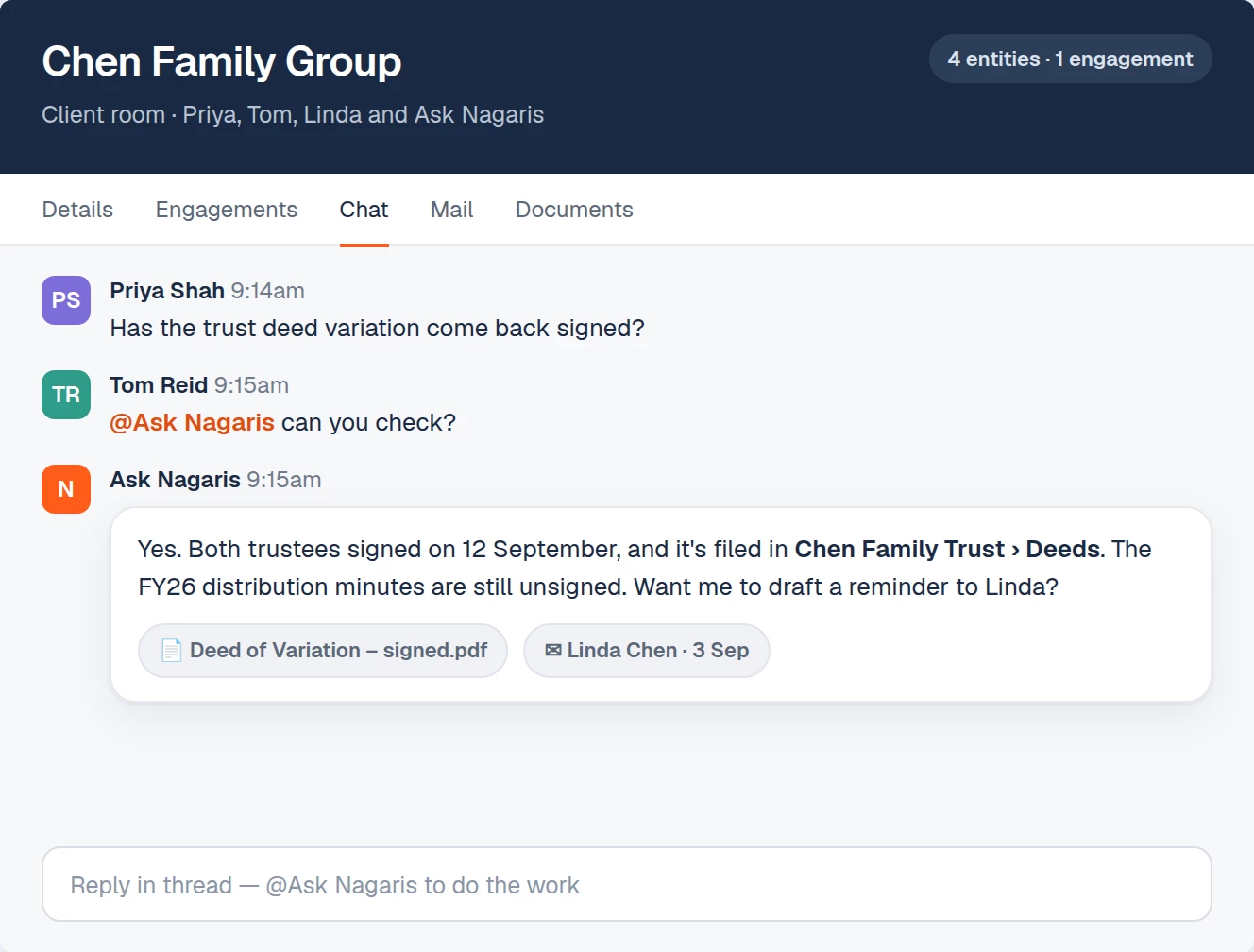
Where client conversations go missing
In many firms, the internal discussion about a client happens in a general chat app. "Has anyone heard back from the Smiths about the trust minutes?" gets answered in a thread nobody can find six months later. The decision was made, but it isn't on the client file.
What Client Rooms does
Team chat built into your practice: a room for every client, a channel for every team, and direct messages. Unlike a separate chat app, every conversation is filed on the client, and Ask Nagaris is in every room.
- @Ask Nagaris. Tag it in any room and it answers with the whole client file.
- Hand it the work. Create the job, draft the email or update the client, right in the thread.
- Everything on file. Every conversation sits on the client record.
- Threads and mentions. Replies, reactions, files and a mentions inbox.
A worked example
A manager asks in the Smith Family Group room whether the trust's engagement for this year is signed. Instead of opening three screens, a teammate types @Ask Nagaris and gets the answer from the client file. The manager then asks it to draft a reminder email to the client. The draft waits in Approvals, the manager checks it and signs it off, and the thread, the email and the outcome all stay on the client record for whoever picks it up next.
Who it's for
Firms where several people touch the same client: a partner, a manager, an accountant and an admin. The history stays on the client when work changes hands or someone is on leave.
How it connects to the rest of Nagaris
A client's room sits beside everything else on that client: emails, calls from Nagaris Phone, texts from Shared SMS, meeting notes and documents. When you ask Ask Nagaris to create a job in a thread, it lands in the Services list. Every create, update or email it prepares waits in Approvals until someone on your team signs it off.
Price
Team chat is part of the Nagaris platform. See plan pricing on the homepage. Ask Nagaris is charged on usage, with a daily limit you set, and new firms start with $1,000 of credit.
Questions
How is Client Rooms different from a separate chat app?
Every conversation is filed on the client record, and Ask Nagaris is in every room, so it can answer with the whole client file.
What kinds of rooms are there?
A room for every client, a channel for every team, and direct messages.
Can Ask Nagaris do work from a chat thread?
Yes. It can create the job, draft the email or update the client in the thread, and each change waits for your team's sign-off.
Does it support threads and mentions?
Yes. Replies, reactions, files and a mentions inbox are included.
See Nagaris in action
A 30-minute walk-through with your own clients and questions.
Schedule a demo