Signed on their phone, filed on the client
Nagaris lets you send any PDF for e-signature to clients or anyone else. Signers open a link on their phone with no account or app, can confirm who they are with an optional texted code, and the signed copy files itself beside the original with an audit certificate, for $1 a document.
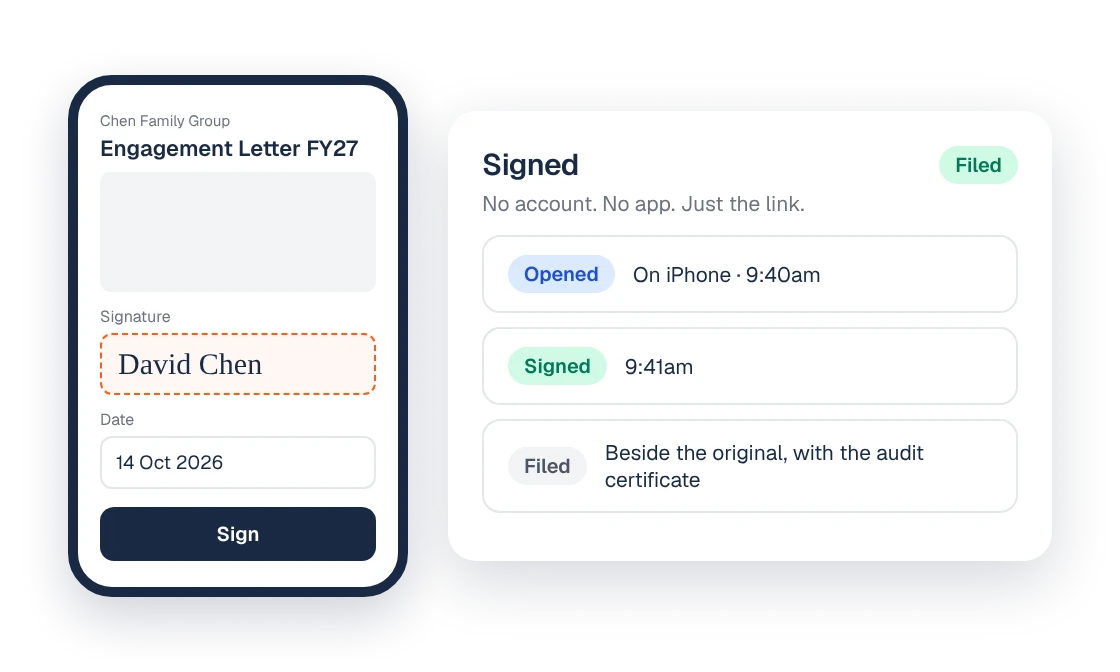
How a signing works
- Drop fields on the PDF. Any PDF: a tax return declaration, a trust minute, a letter, an engagement.
- Send it. To clients or to anyone else, including people who aren't clients of the firm.
- The signer opens the link. On any phone. There's no account to create and no app to install. They can confirm who they are with an optional code texted to their phone.
- It's already filled in. Name, date and a typed signature are ready. The signer checks and signs.
- Reminders go out on their own. Nobody has to chase a signature by hand.
- It files itself. The signed copy lands beside the original on the client file, with an audit certificate showing who opened and signed.
Why it matters for a practice
A return often waits on a declaration, or a resolution on a director. With no account or app to set up, the signer only needs to open the link, and reminders go out without anyone chasing.
Because the signed document files itself, there's no step where someone downloads it from one system and saves it into another, and no question later about which version was signed.
Who it's for
Any firm that sends documents to clients for signature, whether that's a handful a week or hundreds in tax season.
How it connects to the rest of Nagaris
Engagement letters signed through group proposals use the same signing, so a family group signs once for every entity. In Workflow, the Waiting On view shows when a job is with a signer, so you can see what's stalled at a glance. Ask Nagaris can tell you what's unsigned for one client or the whole firm. For engagement letter wording, see the engagement letters guide.
What it costs
$1 a document, with unlimited signers and the audit certificate included. There's no monthly signing plan and no per-envelope bundle.
Questions
Do signers need an account or app?
No. They open the link on any phone and sign, with an optional texted code to confirm who they are.
Can I send documents to people who aren't clients?
Yes. You can send any PDF to clients or anyone else.
What evidence is kept of the signing?
The signed copy comes back with an audit certificate showing who opened and signed, and it files itself beside the original.
How much does e-signing cost?
$1 a document, with unlimited signers and the audit certificate included. There is no monthly plan.
Who chases unsigned documents?
Reminders go out on their own, so nobody has to chase a signature by hand.
See Nagaris in action
A 30-minute walk-through with your own clients and questions.
Schedule a demo